Submit from your phone
Upload assignments, take quizzes and reply in forums without bouncing out to a browser.
Openfold is a Moodle app built around the way students actually work. Open it and you see what's due, how your grades look, and the class you were just in. No more clicking through weeks and modules to find one assignment.
Built for schools that use Moodle. Free while in beta.
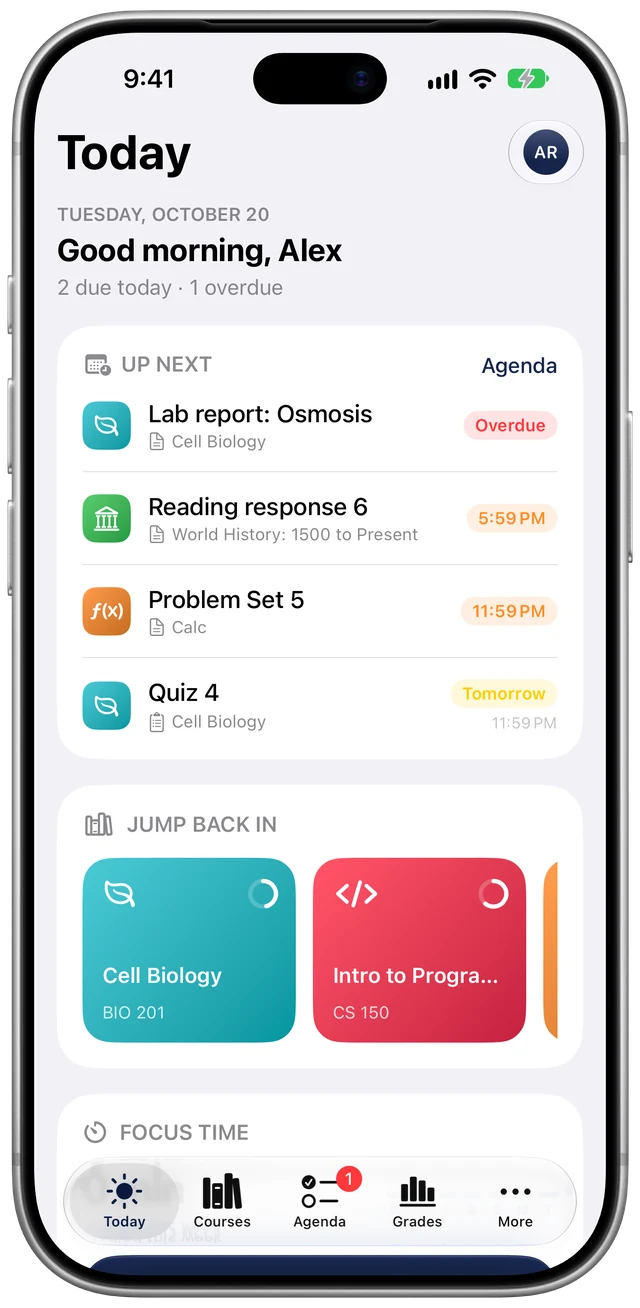
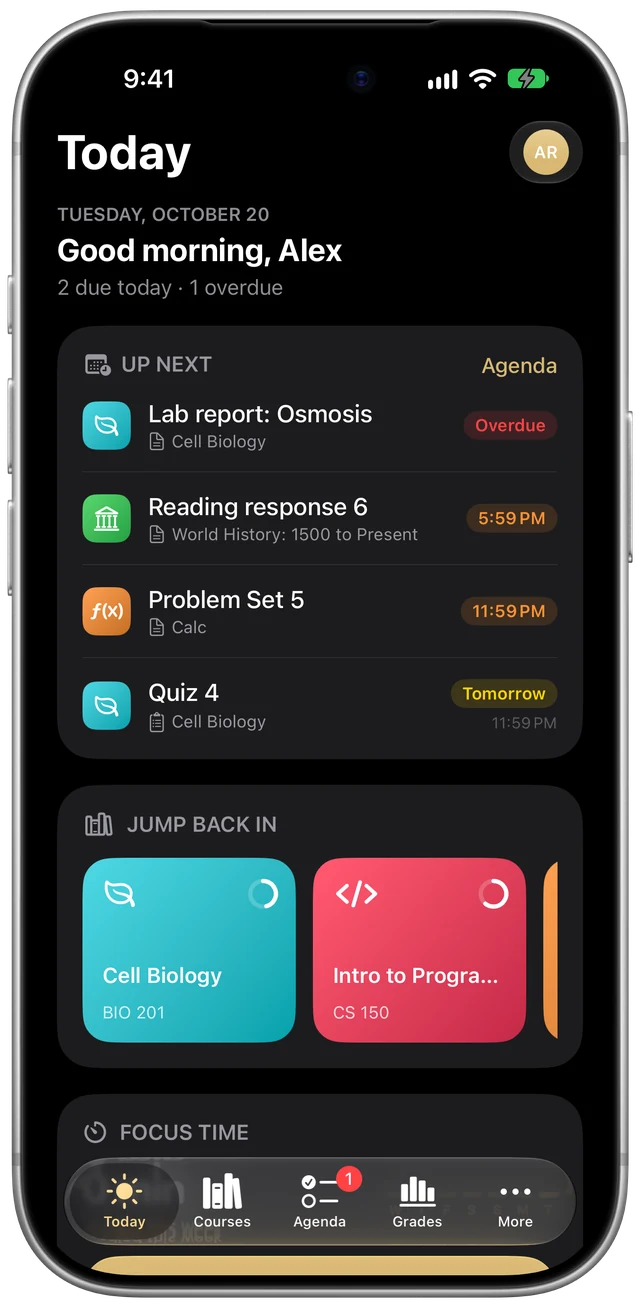
Moodle is organized the way a course is built: course, then week, then module, then activity. That makes sense to the person teaching it. When you just need to know what's due tonight, it means a lot of tapping.
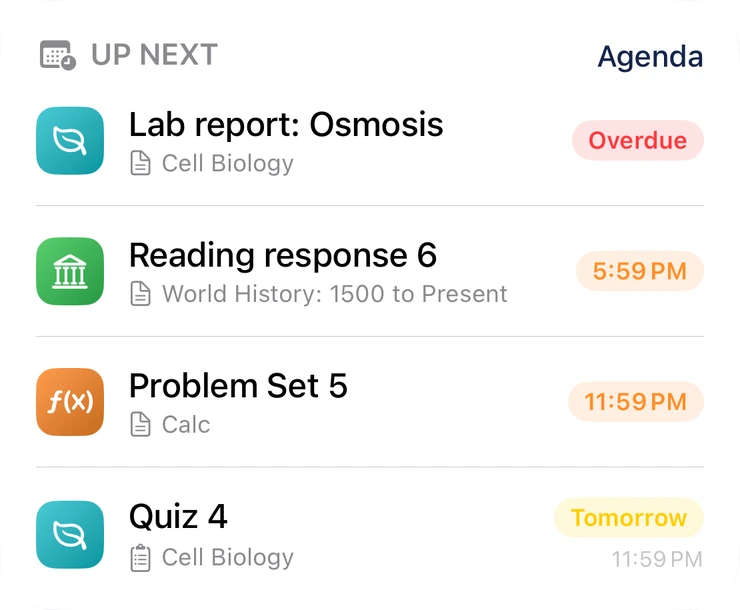
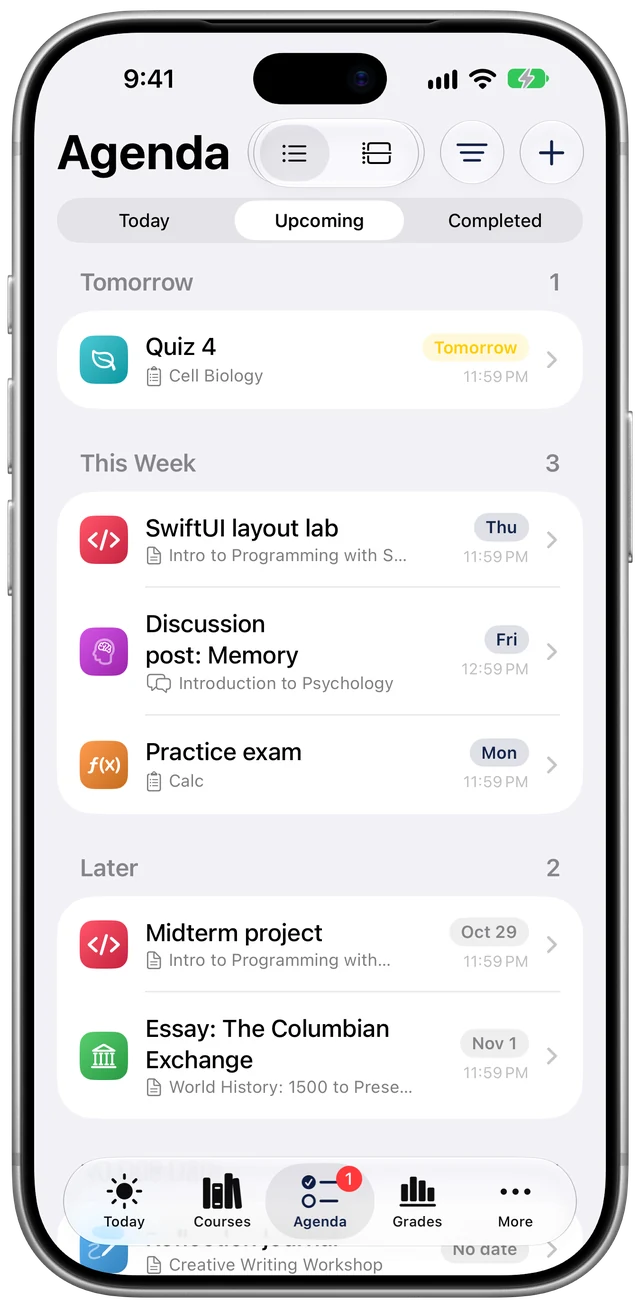
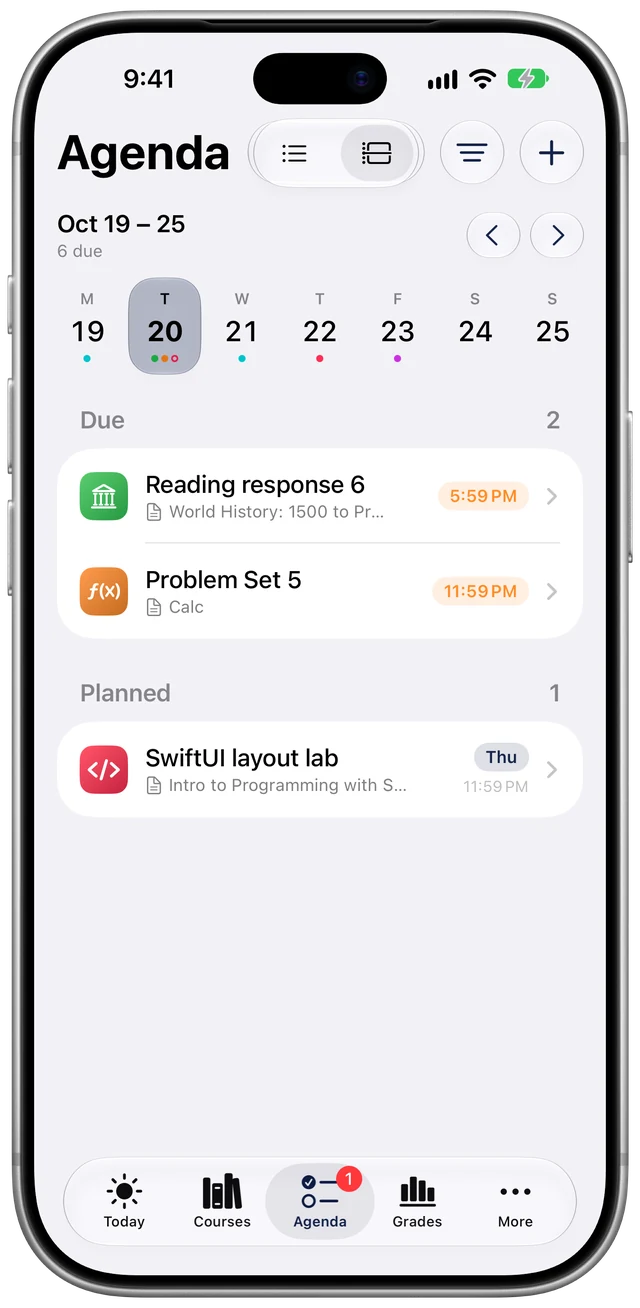
0 taps. It's on the first screen you see, next to everything else due this week.
Assignments, quizzes and discussion posts from all your courses land in one place, sorted by when they're due. Add your own to-dos right next to them, so "email my advisor" lives beside "Problem Set 5."
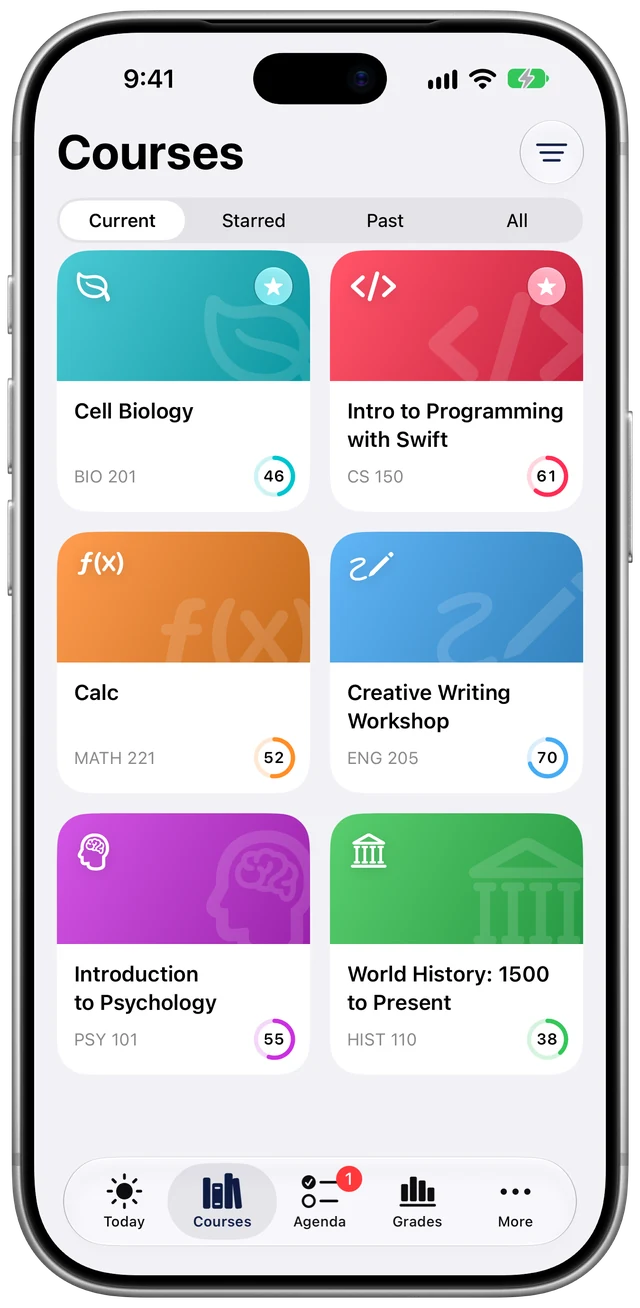
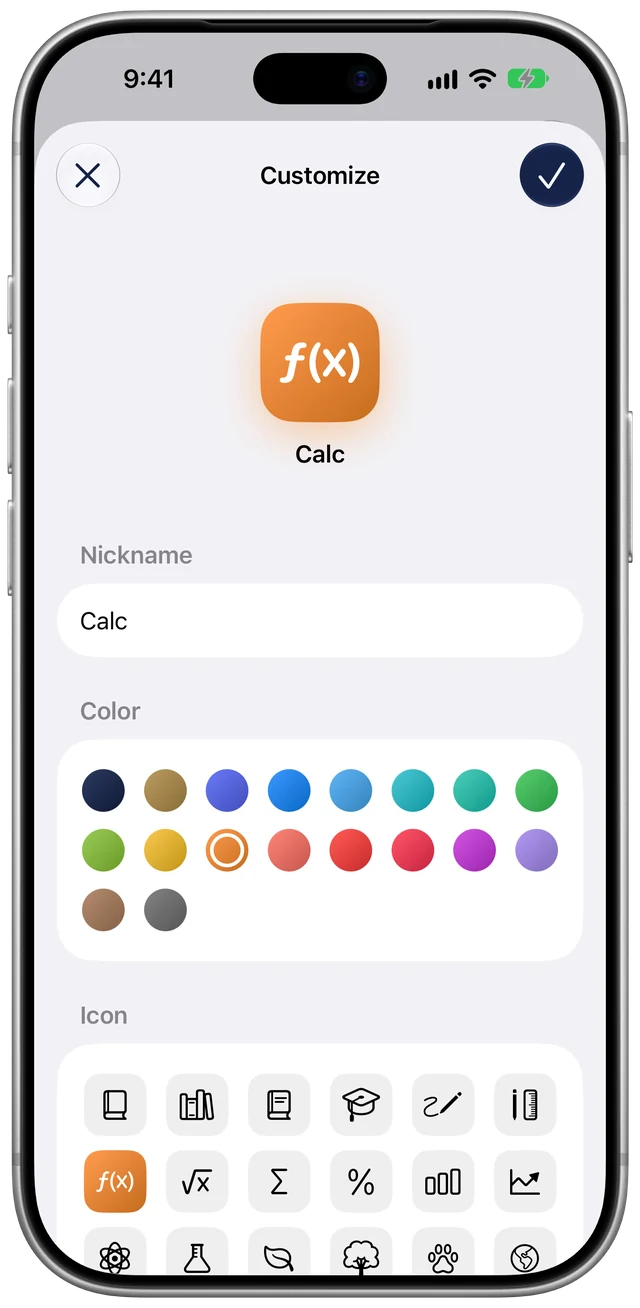
Give every course a color, an icon and a nickname. Star the ones you open every day, reorder the rest, and hide that orientation course from three semesters ago that never goes away.
MATH-221-03 FA26 Calculus II (Sec. 3)
 Calc
Calc
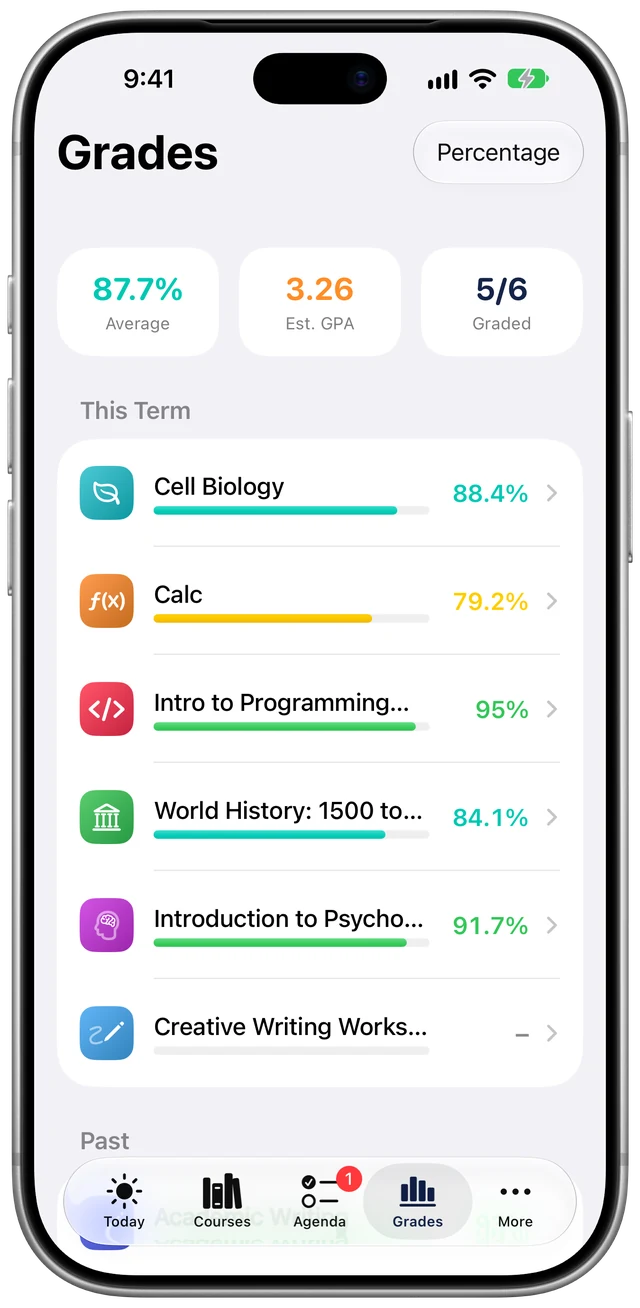
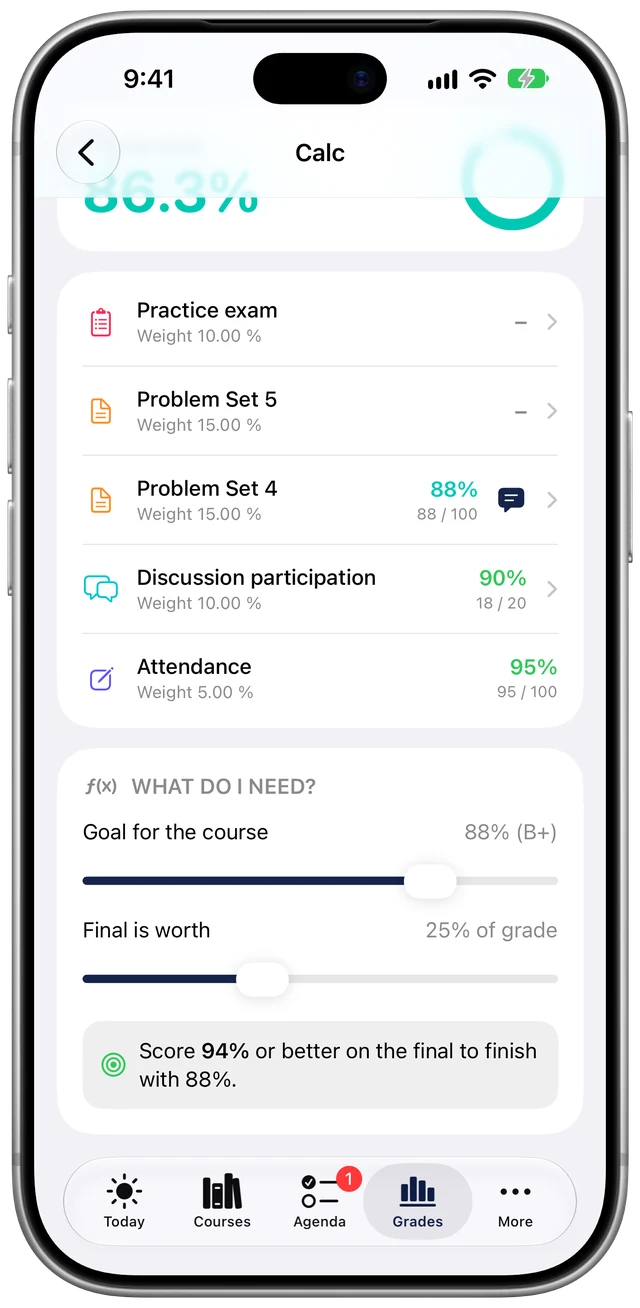
Course averages, an estimated GPA, and the feedback on every graded item. Heading into a final? Set the grade you're aiming for and how much the final counts, and Openfold tells you the score you need.
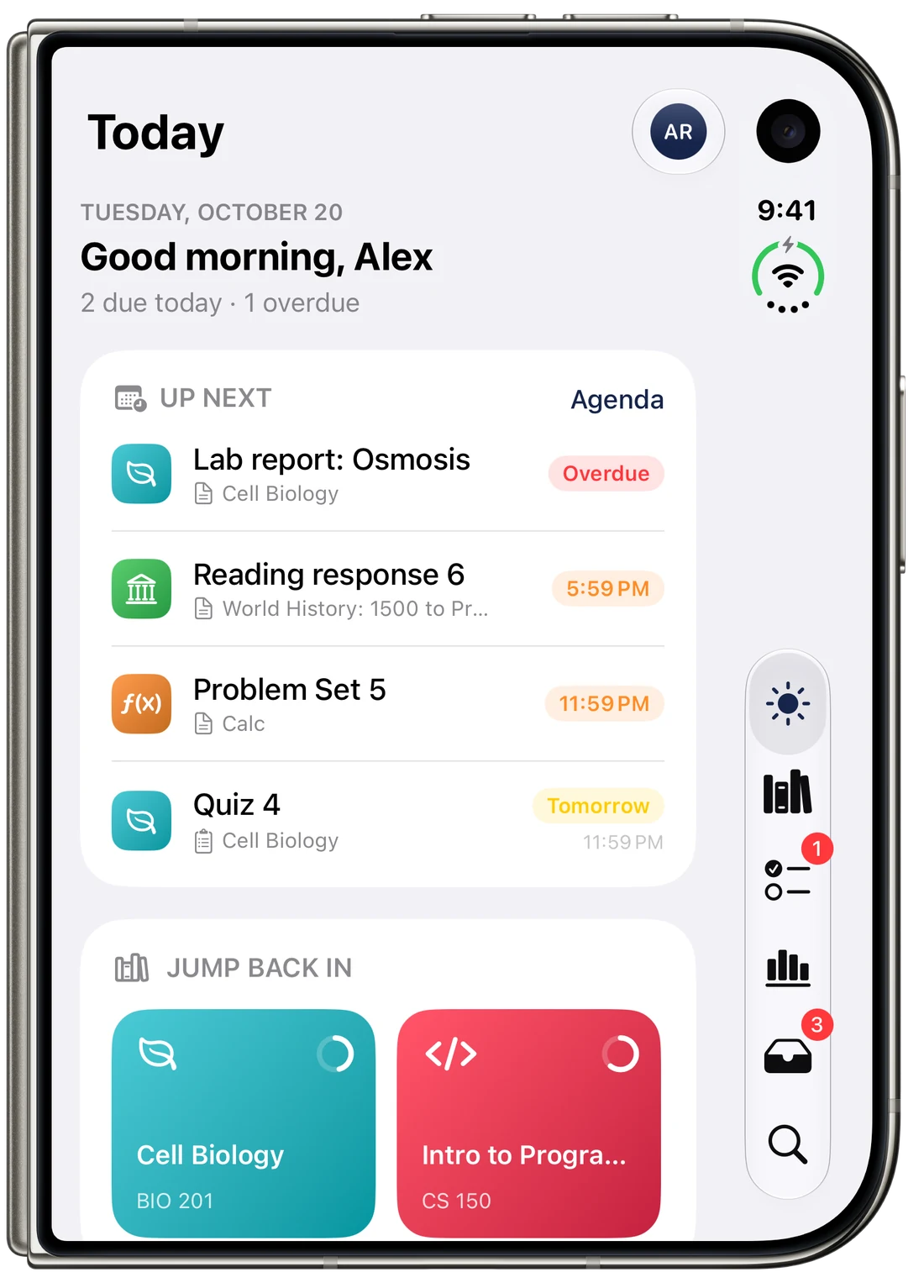
Openfold is built for iPhone Duo. Closed, the cover screen gives you Today and a compact tab rail. Open it up and Today spreads into two columns while course pages get a sidebar and room to read. Prop it partly open and the bottom half turns into a study desk with your focus timer and what's due next.
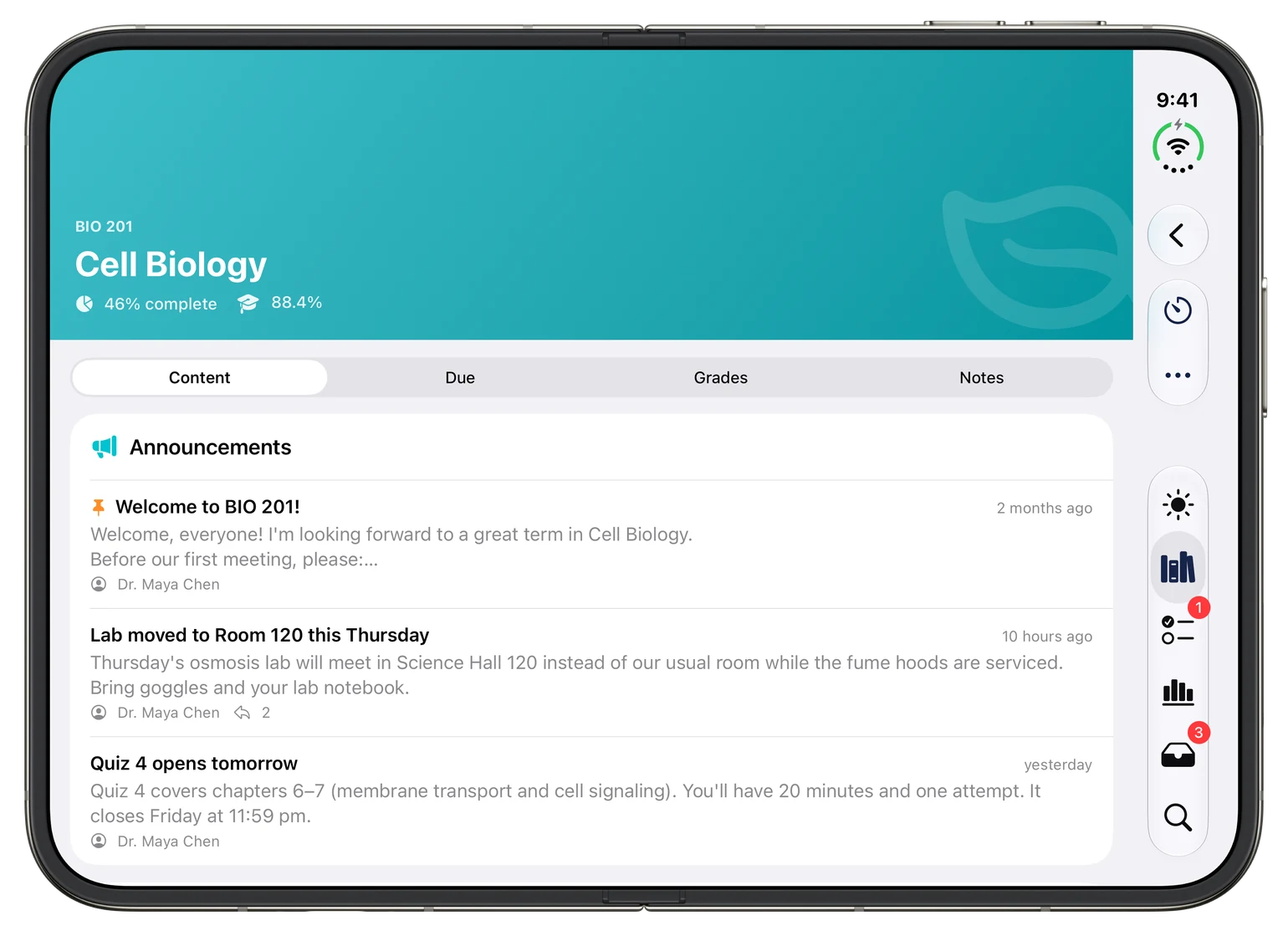
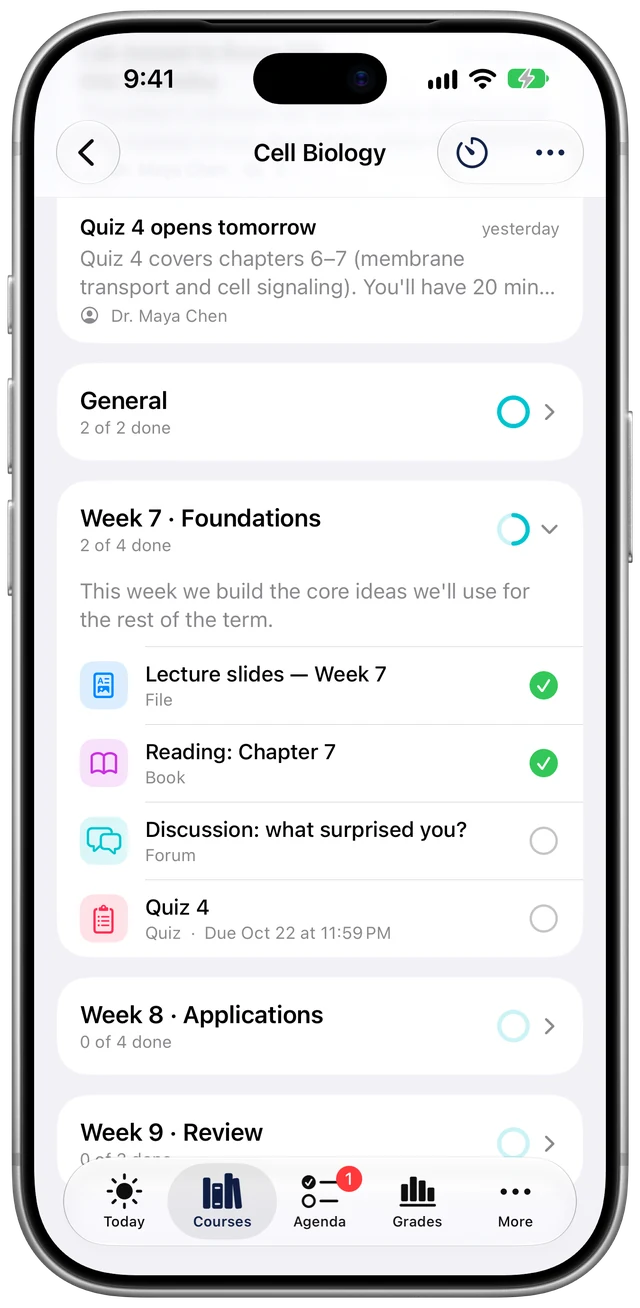
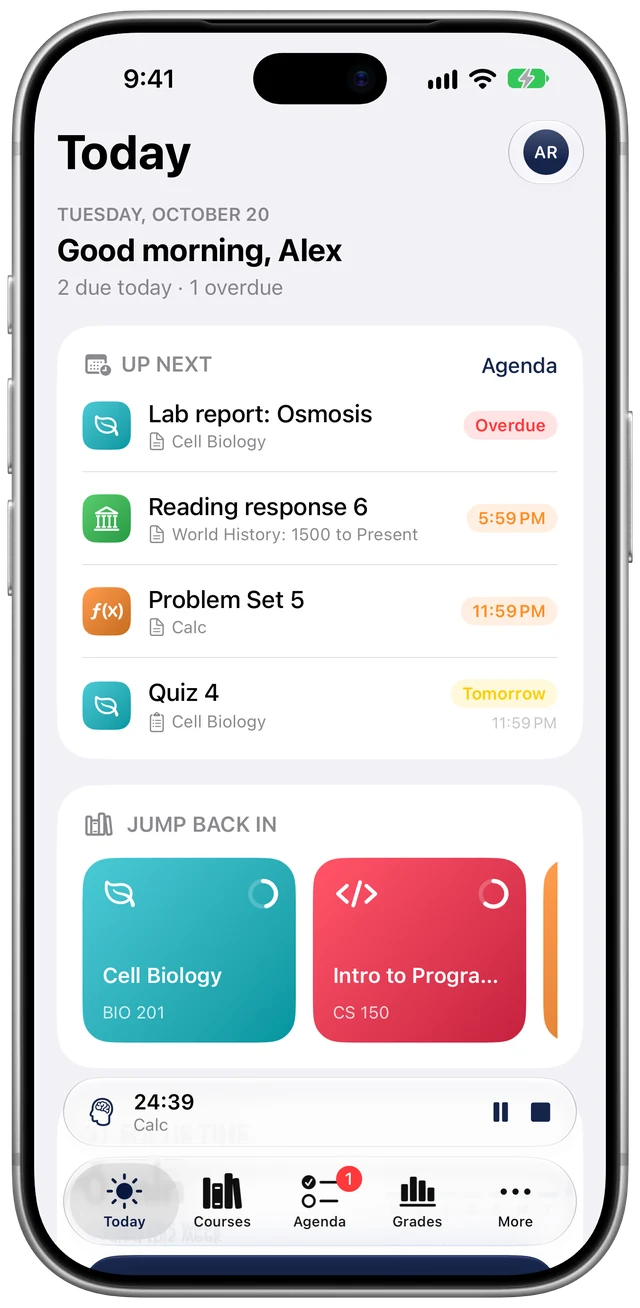
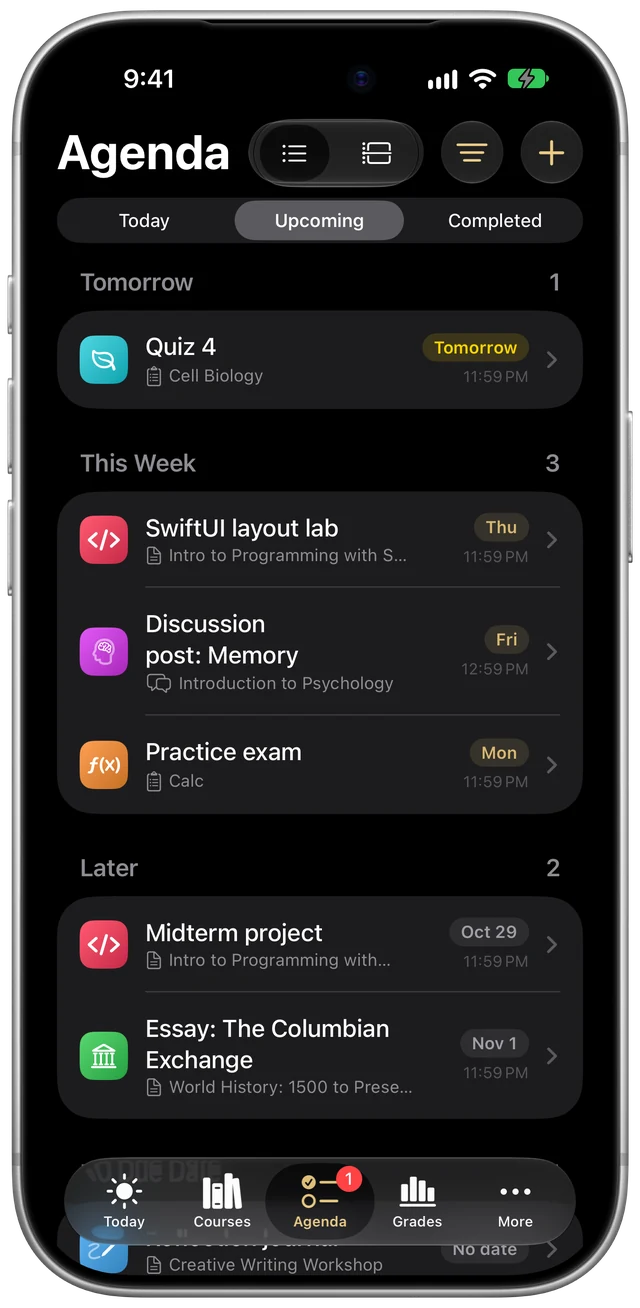
Upload assignments, take quizzes and reply in forums without bouncing out to a browser.
Study sessions tied to a course, with a Live Activity on your Lock Screen and a weekly total.
Reorder or hide the cards so the first thing you see is the thing you check most.
Download slides and PDFs once and open them later, even with no signal in the lecture hall.
Courses, activities, files, deadlines and your own notes from one search field.
Moodle messages and notifications in one place, and you can reply right there.
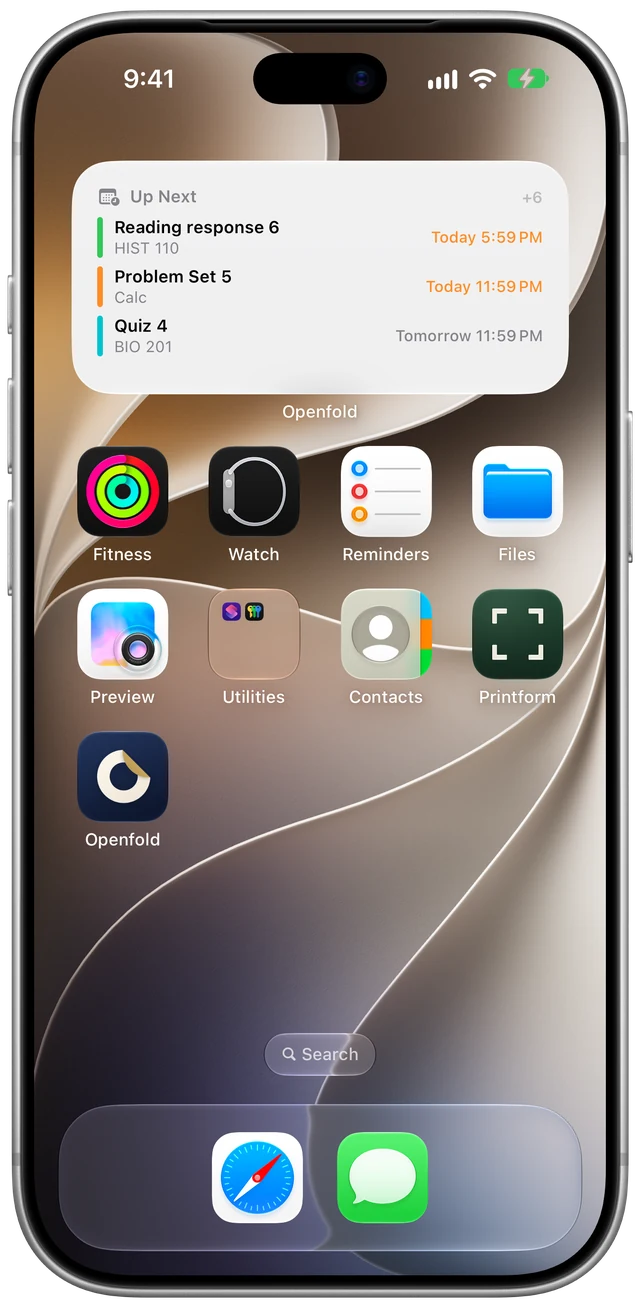
Up Next on your Home Screen or Lock Screen, so you know what's due before you unlock.
Keep your grades and messages private if someone else picks up your phone.
Openfold signs in directly with your school's Moodle, the same way the official Moodle app does, including your school's single sign-on. Your sign-in is stored in your iPhone's Keychain and your course data is saved on your device so it works offline.
There's no Openfold account to create and no Openfold server in the middle reading your grades.
Want to be first in? Send a note with your school's name to hello@getopenfold.com
 Openfold is made by an independent developer. Every piece of feedback gets read.
Hopefully! Openfold connects through the same mobile service the official Moodle app uses, but every school sets up Moodle a little differently, so we can't promise it works everywhere yet. Finding out is a big part of the beta. You'll type in your school's Moodle address and sign in the way you normally do, and there's a demo account if you want to look around first.
No. Openfold is an independent app. It isn't affiliated with or endorsed by Moodle, and your school doesn't need to install anything for it to work.
Your password goes from the app straight to your school's Moodle, which sends back a sign-in token that's stored in your device's Keychain. If your school uses single sign-on, you sign in on your school's own login page.
Nothing during the beta. When Openfold launches on the App Store it'll be a small one-time purchase. No subscription.
Not yet. Android is in our plans for the future, but for now Openfold is iPhone and iPad only.
Take a screenshot while you're using the beta and TestFlight will offer to send it to us with a note. You can also email anytime.